Skip to content
Web app is live · Android in early access

Your money, finally in balance.Expense tracker & budget app for every currency

Flash Budget keeps every account, currency and goal in one clear picture. Log an expense in seconds — see exactly where your money goes.
Early access onGoogle Play
Free to start·Any currency — even crypto
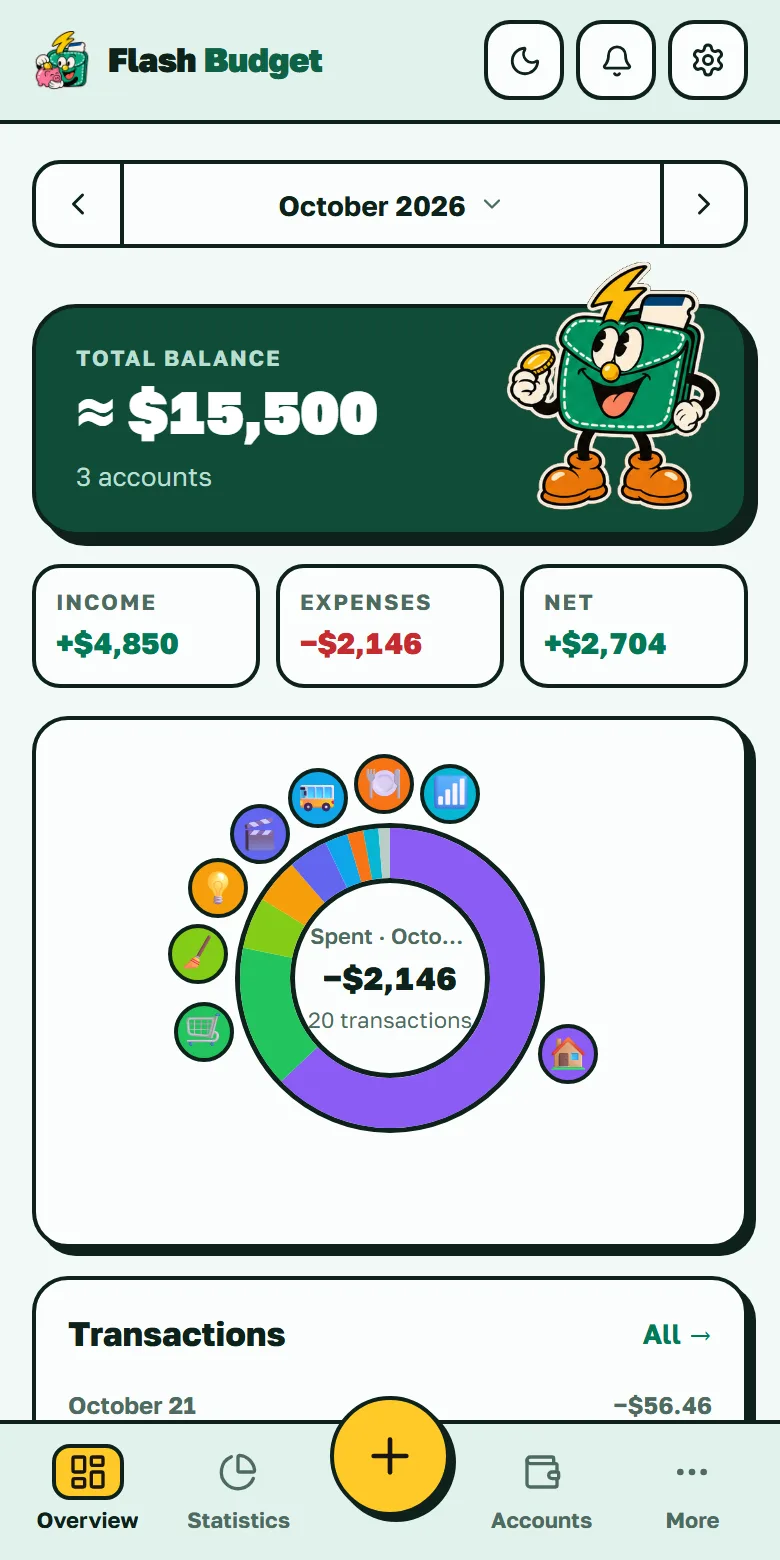
Flash Budget — overview screen

Everything you need to stay on top

No spreadsheets, no guesswork. Flash Budget turns daily spending into a picture you actually understand.

Everyday tracking

Log it in seconds, fix it any time.

  • Expenses, income and transfers in two taps
  • Subcategories for the details
  • Search and filters across your whole history
  • Edit any transaction — balances recalculate
  • Reconcile an account with your bank statement
  • Archive accounts and categories, reorder accounts
  • Receipt photosPaid

Budget and goals

A plan for the month and a forecast of how it ends.

  • Monthly budget with category limits
  • Unused budget rolls over to next month
  • Spending forecast for the period (Pulse)
  • Savings goals with a deadline
  • Auto payments that post themselves
  • Auto-detected subscriptions and price hikes

Statistics

See where the money goes, not just that it went.

  • Spending donut — tap a category to focus it
  • Breakdown by category and subcategory
  • Switch periods in one tap
  • Net worth, tracked over time
  • Trends and comparison with the last periodPaid
  • Daily average and top categoryPaid

Currencies and crypto

Every currency you hold, one honest total.

  • 155 currencies with one total in yours
  • Crypto accounts with 8-decimal precision
  • Transfers between currencies
  • Rates fixed on the transaction date
  • Your own exchange rates when you want control
  • Bybit sync by read-only API keyPaid

With other people

Money you share, lend and send.

  • Transfers to friends by @usernamePaid
  • Family budgetPaid
  • Debts: who owes whomPaid
  • Split a bill — your share stays your expensePaid
  • The real cost of sending money homePaid
  • Reminders in the app and in Telegram

Yours and private

Your look, your data, your rules.

  • Emoji icons and 16 colors for everything
  • Light and dark themes
  • PIN lock that stays on your device
  • Works offline, syncs when you're back
  • CSV export of everything
  • CSV import from another appPaid
  • Interface in 10 languages

Paid Marked features come with any paid plan. Everything else is in the free plan. Pricing → · All features →

Finally, an app that doesn't get in your way

Most finance apps hide the basics behind a subscription — you pay, and you still can't change a category icon. We built Flash Budget the opposite way: simple for everyone, flexible for everything.

Many budget appsFlash Budget
Icons and colors
Changing a category icon — a paid feature
Every icon is yours to change — emoji and 16 colors, free
Categories
A fixed list of categories you can't touch
Accounts and categories for a real budget — create, archive, reorder
Ads
Ads sitting between your own transactions
No ads and no trackers in the app — on any plan
Currencies
One currency, banks only — crypto doesn't exist
Any currency side by side — dollars, euros, rubles, even crypto
History
January's report shows different numbers in June
Rates are fixed on the transaction date — history never rewrites itself
Simplicity
Cluttered screens built for accountants
Add an expense in two taps — no accounting degree needed
155currencies plus crypto
0ads and trackers in the app
2taps to add an expense
10interface languages
Crypto, done properly

A budget app that actually gets crypto

Many trackers tell you to "just make a USD account" for your coins — and round 0.05 BTC down to zero, because they only know two decimal places. Flash Budget has a dedicated Crypto account type with 8 decimals of precision: 0.05 BTC is stored as 5,000,000 satoshi, exactly.

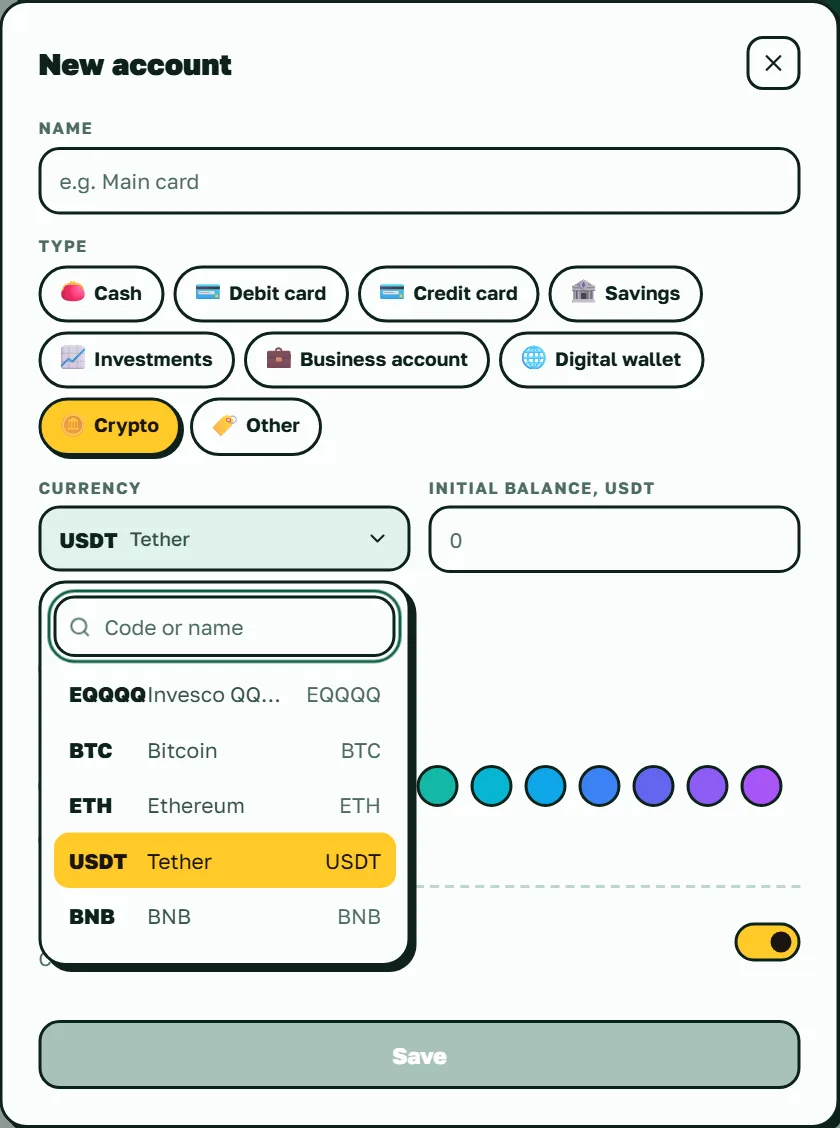
Top-30 coins by market cap, plus USDT, USDC and DAI stablecoins
Prices refresh automatically 4 times a day — no manual updates
Your BTC, USDT and cash roll up into one total in your base currency
The crypto currency picker shows coins — not a list of 155 fiat currencies
How crypto and fiat work together →
Flash Budget — crypto account with USDT and coin picker

Your January report doesn't change in June

In most multi-currency apps, history quietly rewrites itself every time a rate moves. Flash Budget fixes the exchange rate on the date of each transaction — the past stays put.

Fixed on the date
Income, expenses and statistics are counted at the rate on the day they happened. Balances use today's rate — "what it's worth now".
Revaluation, separated
The difference rates create is shown as its own line — clearly labeled "this is not income and not an expense" — instead of being smeared across your spending.
Your rate wins
Set a manual rate and it overrides the market one. If yours drifts more than 5% from the market, we warn you — but the choice stays yours.
Updated for you
Market rates refresh on their own — fiat once a day, crypto four times. No button to press and nothing to keep up to date.
155 fiat currenciesTop-30 crypto + stablecoins9 account types34 ready-made categoriesRates refresh daily, crypto 4×/day
More on multi-currency budgeting →

Built for money that crosses borders

Paychecks in one currency and family in another, savings on a crypto exchange, spending where there's no signal — the places most budget apps quietly give up.

Sending money home? See what it really costs

Working abroad and supporting family back home? Record the transfer as it happened — 1,000 AED out, 15,000 PHP in — and Flash Budget compares it with the market rate on that day. You see how much reached home, how much the fee and the exchange rate took, and what that adds up to in a year.
Paid plan

Works with Bybit via a read-only key

Connect Bybit with a read-only API key — one that can't trade or withdraw. Card purchases, P2P trades, deposits, withdrawals and Earn income arrive as suggestions: pick the account and category in a tap. Nothing lands in your budget without your say.
Paid plan

Works without a signal

On the subway, on a plane or with roaming off, you still see your balances and can add, edit and delete expenses and transfers — in the web app and on Android. Everything syncs the moment you're back online, without duplicates.

Reminders in Telegram

Link @flashbudget_bot and upcoming payments, debt reminders and transfer requests reach you in Telegram. Bybit purchases can be recorded right from the chat: tap Record, pick a category, done.

Bybit is a trademark of its owner. Flash Budget is an independent app, not affiliated with or endorsed by Bybit.

Make it completely yours

Rename anything. Pick any emoji as the icon for any category or account. Choose from 16 preset colors — or open the color picker and set your own. Archive what you don't use, set your own exchange rates, track a crypto stash next to your cash. No "premium" lock on the basics, ever.

Any emoji as an icon · 16 colors, plus a color picker for your own
Fiat and crypto in one place, converted into your base currency
Manual exchange rates, archiving, "count in total" toggles
16 colors + your own
+color picker built in
Any emoji, any category
🏠🍔🚌🪙🛒🎁✈️🎮🎓❤️
Included for everyone — not a "Pro" feature.

A closer look

Real screens from the app — statistics, goals, budget, debts, auto payments and a dark mode that's easy on the eyes.
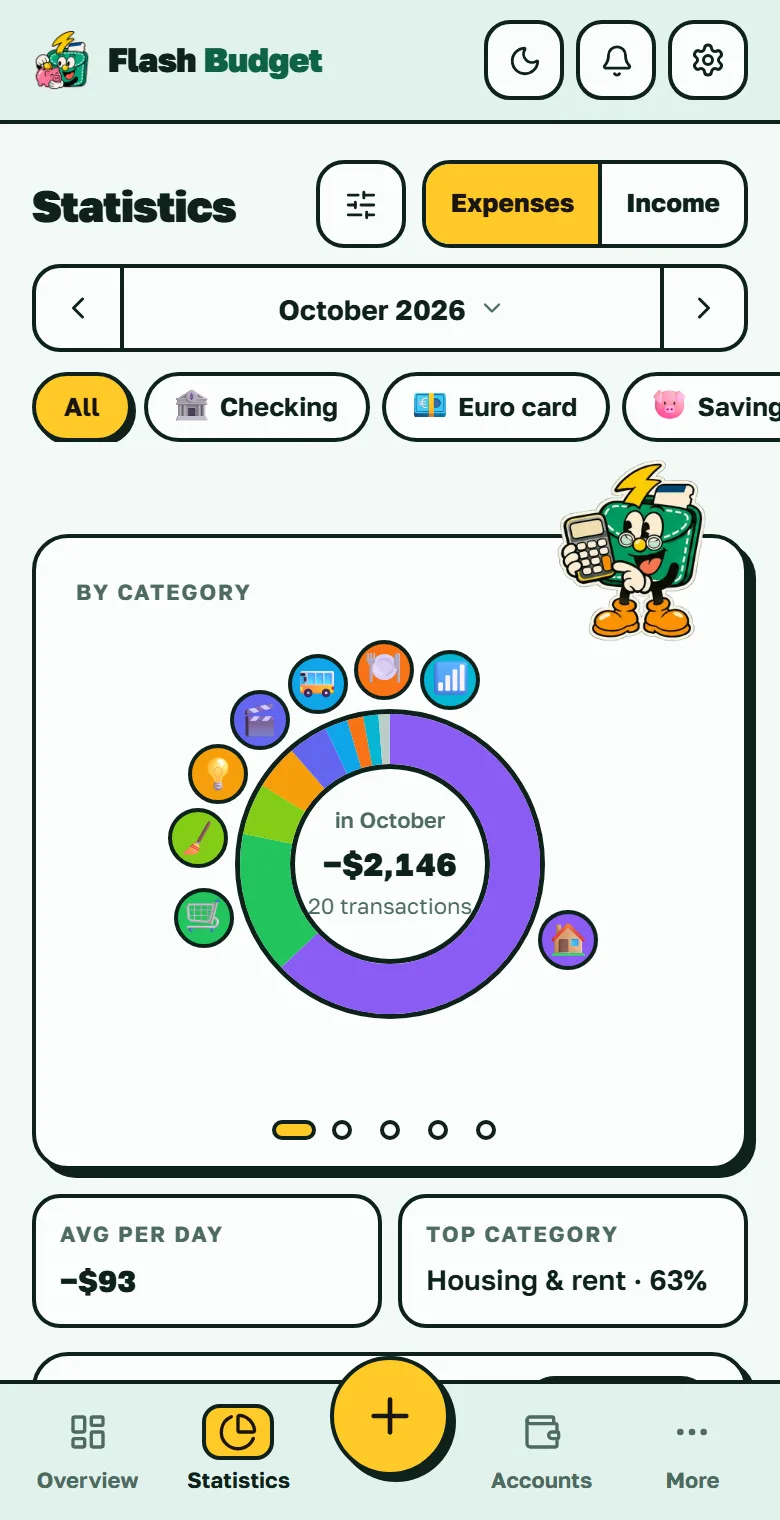
Statistics screen: spending by category as a donut chart, with trends
Statistics
Spending by category, trends and comparison with the previous period.
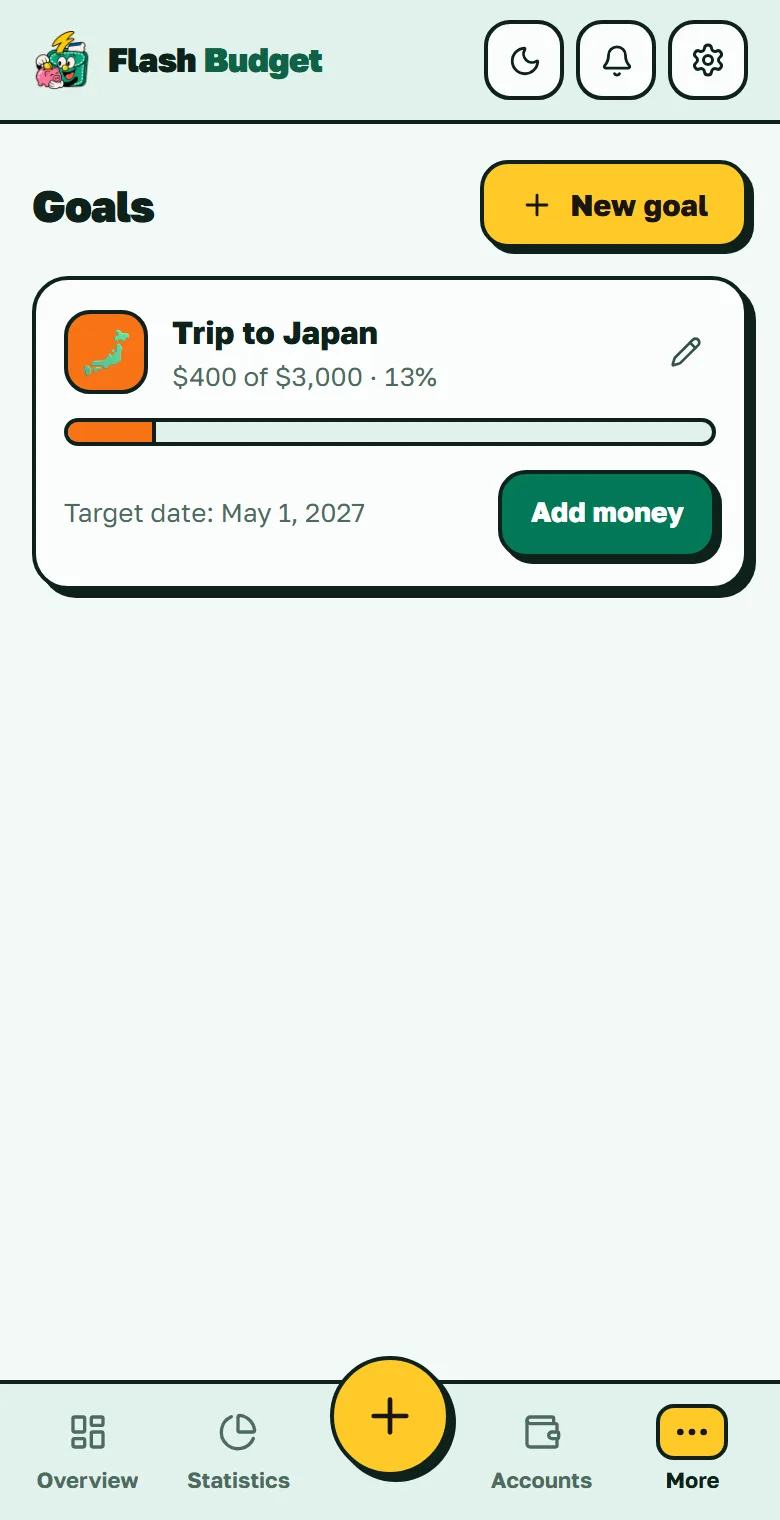
Savings goals screen with progress bars and deadlines
Goals
Save toward what matters with deadlines and progress tracking.
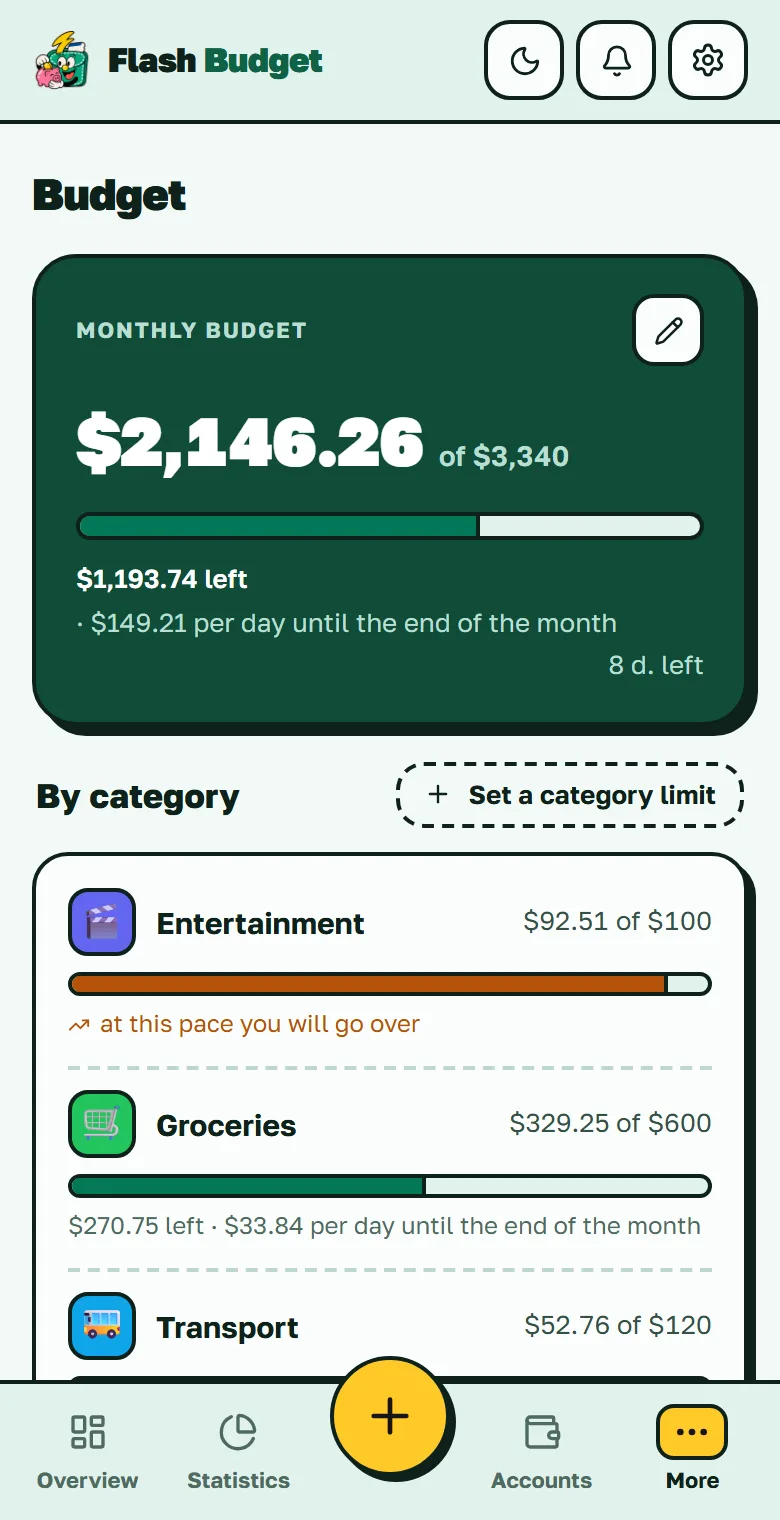
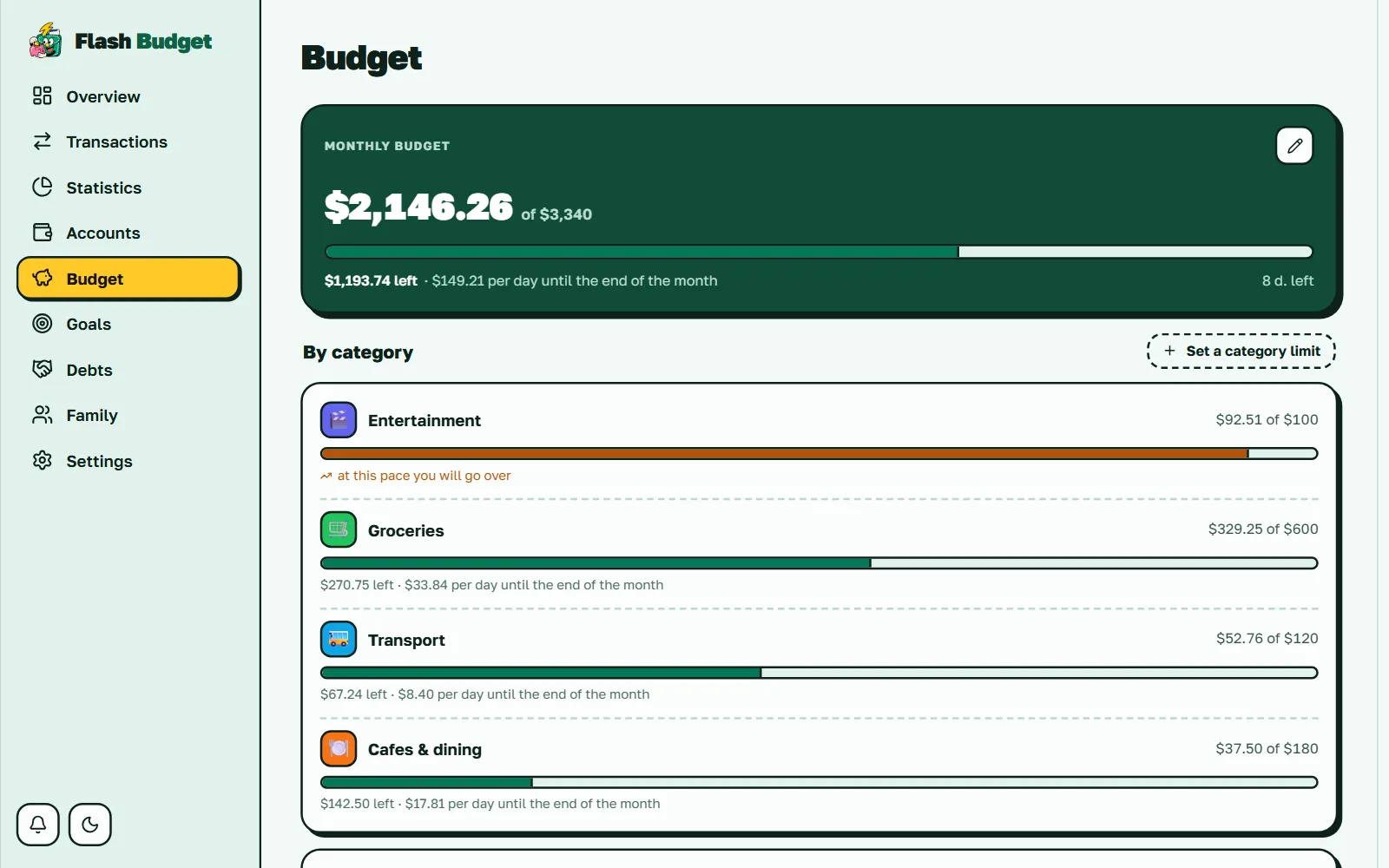
Monthly budget screen with a daily safe-to-spend pace and category limits
Budget
A monthly ceiling with a safe-to-spend pace per day, per-category limits, and unused budget that rolls over to next month.
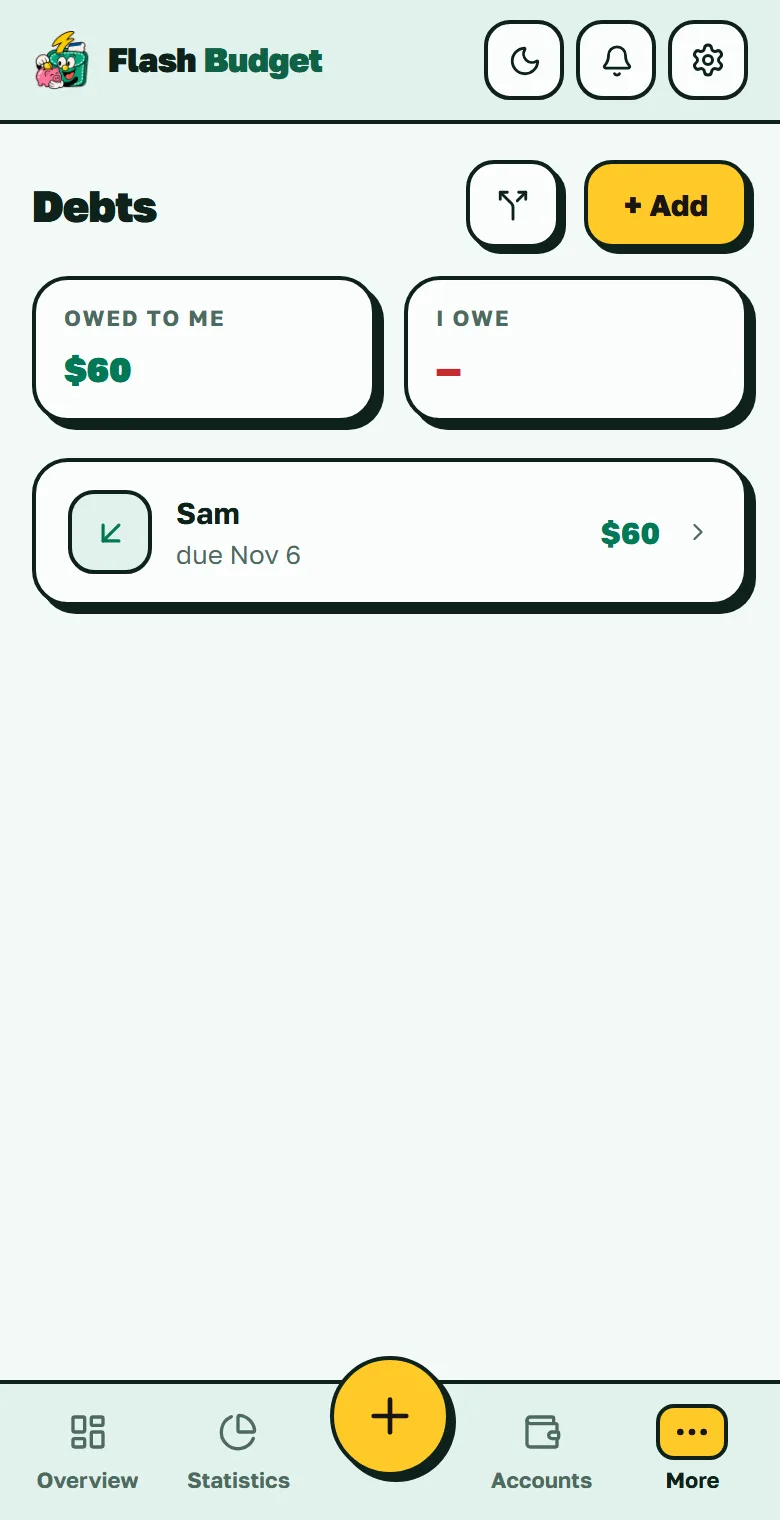
Debts screen: who owes whom and by when
Debts
Who owes whom and by when — with a bill-split helper built in.
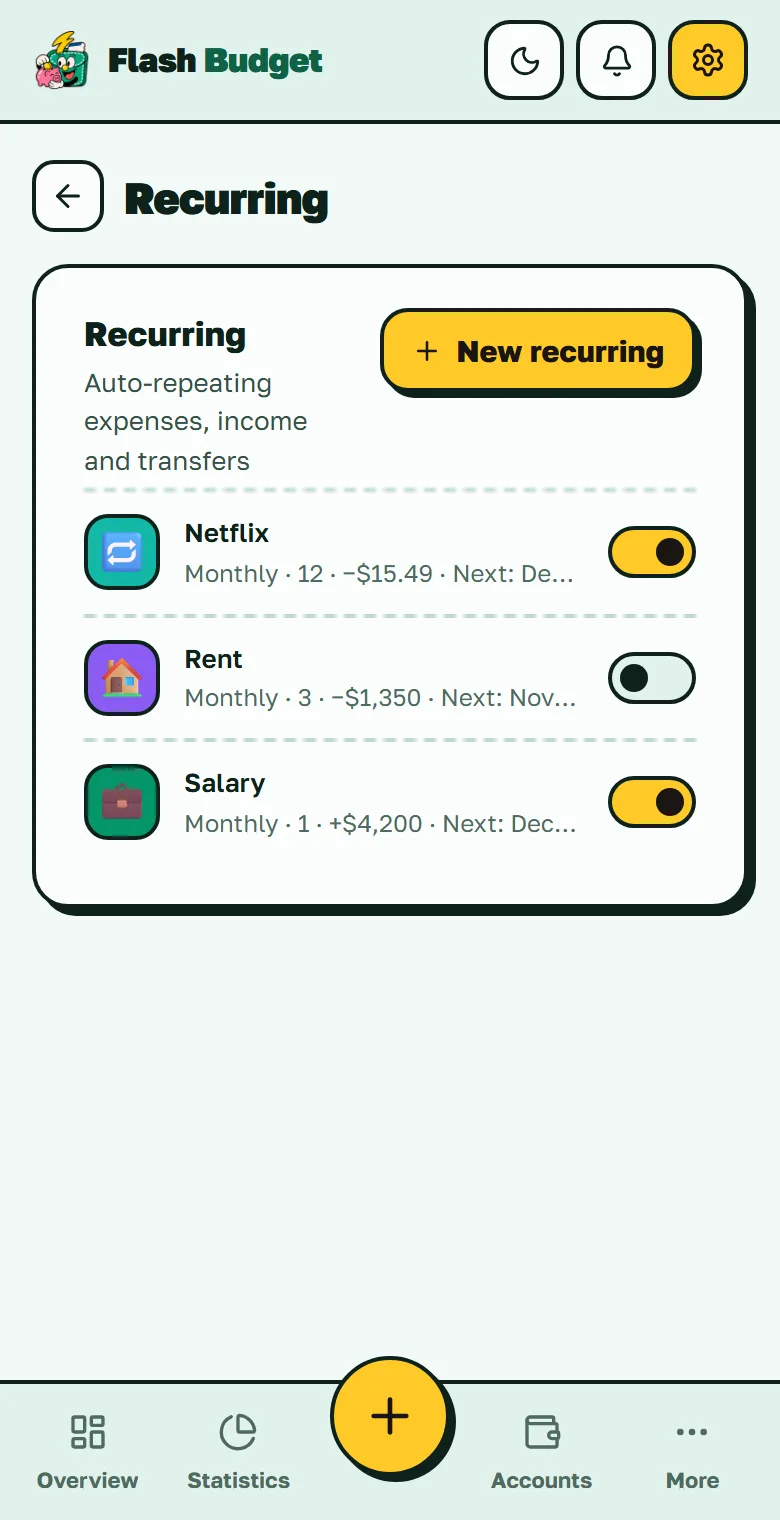
Auto payments screen: salary, rent and subscriptions on a schedule
Auto payments
Salary, rent and subscriptions post themselves on schedule — pause any of them with a toggle.
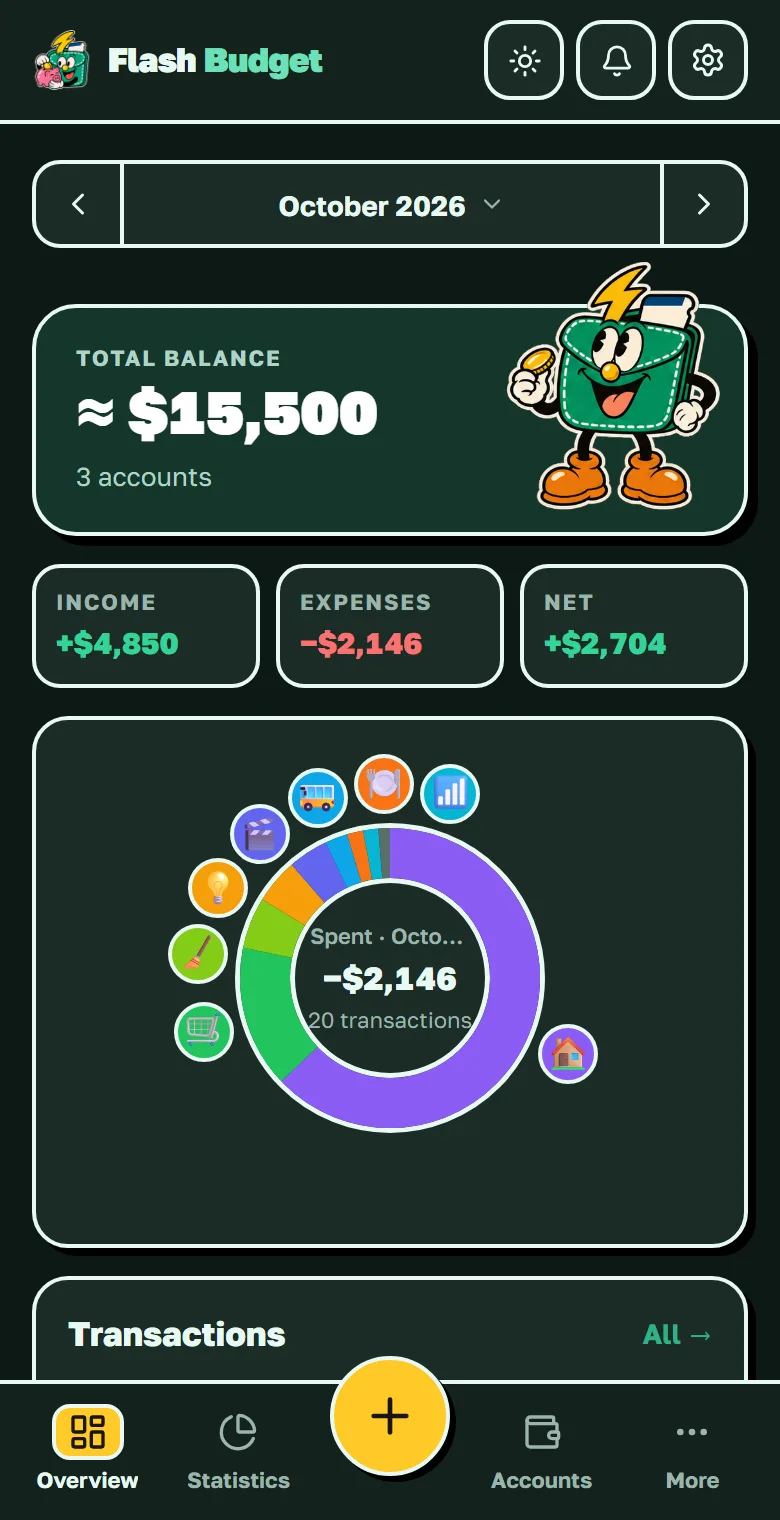
Flash Budget overview screen in dark mode
Dark mode
A full dark theme, switchable in one tap.

We don't store your balance. We compute it.

Your balance isn't a number sitting in a database that can quietly go wrong. It's always calculated from your actual transactions — so the books can't disagree with reality.

Delete a transaction — the balance restores itself
Nothing to "fix" or recalculate. There's no stored number to break.
Decline a transfer — the money returns by itself
Sender and receiver always see the same, matching history.
Money is counted in whole cents and satoshi
Never floating point — the classic rounding errors are impossible by design.
Every edit is atomic
If your connection drops mid-edit, you never get a duplicate or a lost record.
The same principle runs through goals: progress is the sum of your own top-ups — it physically can't drift out of sync with your money.
Full web app included

The whole picture on the big screen

The full web app is live today — on desktop, tablet or your phone's browser, your accounts, transactions and statistics stay in sync everywhere you sign in.
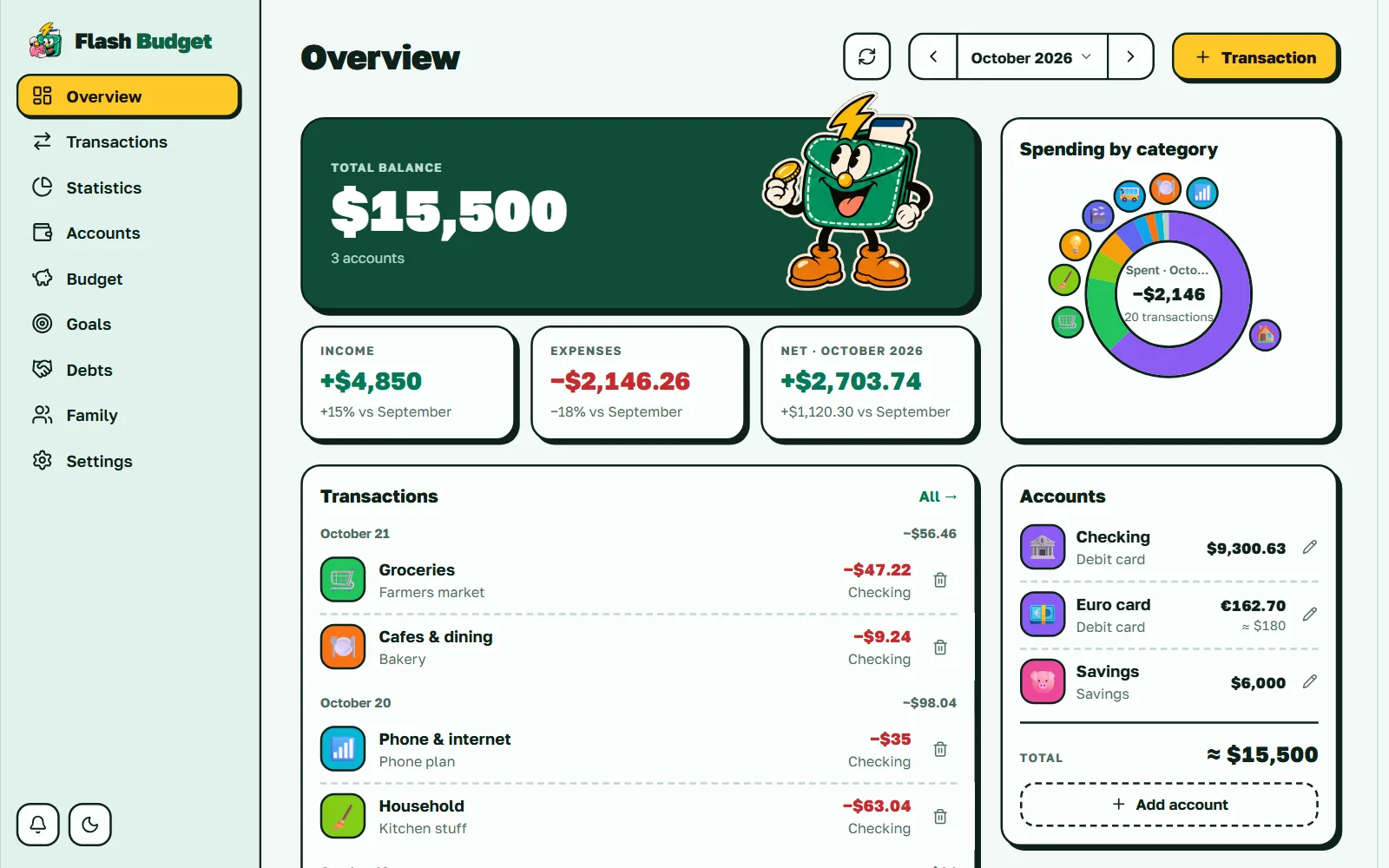
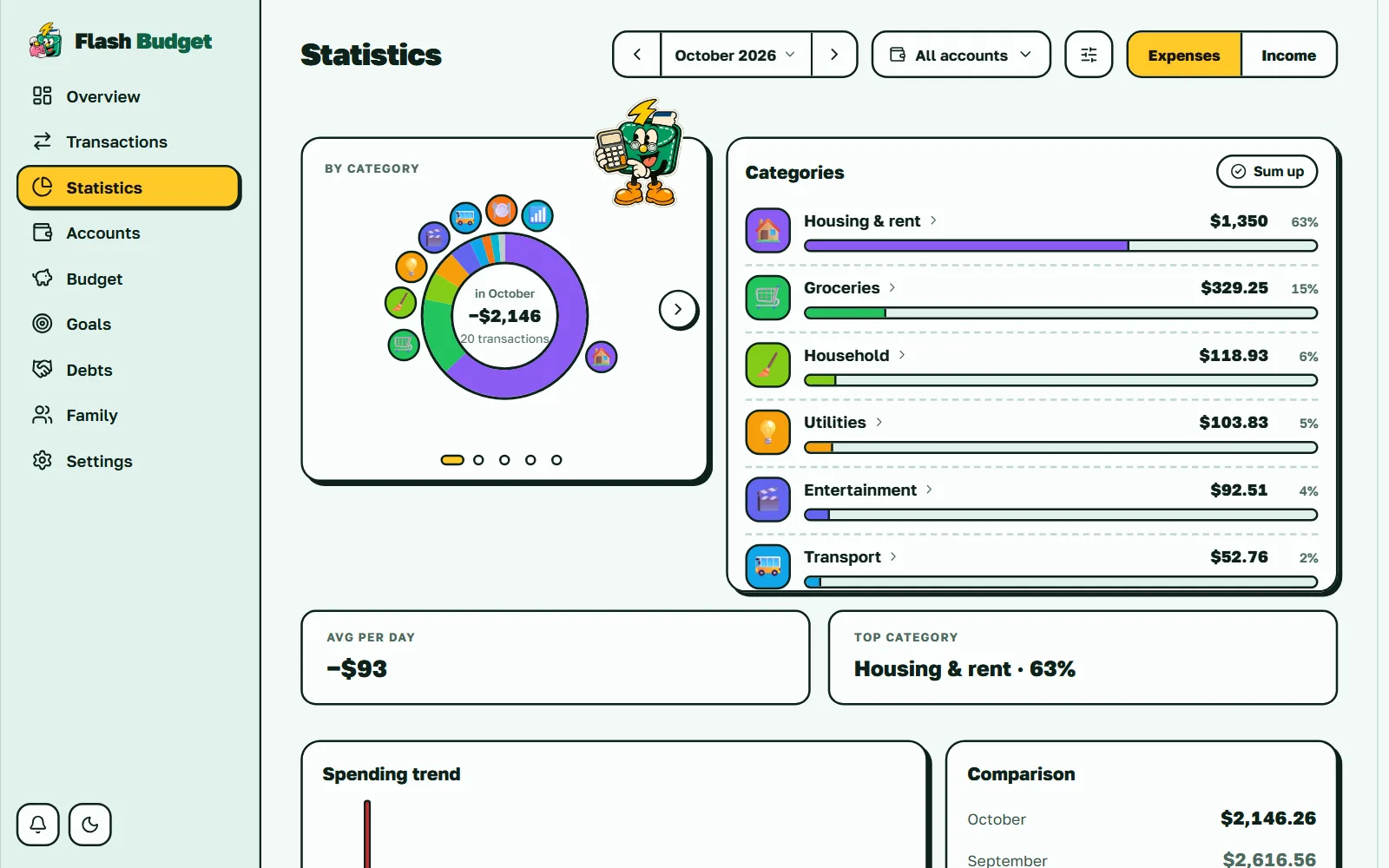
Android app in early access on Google Play · iOS later
Flash Budget web app — overview dashboard
Flash Budget web app — statistics
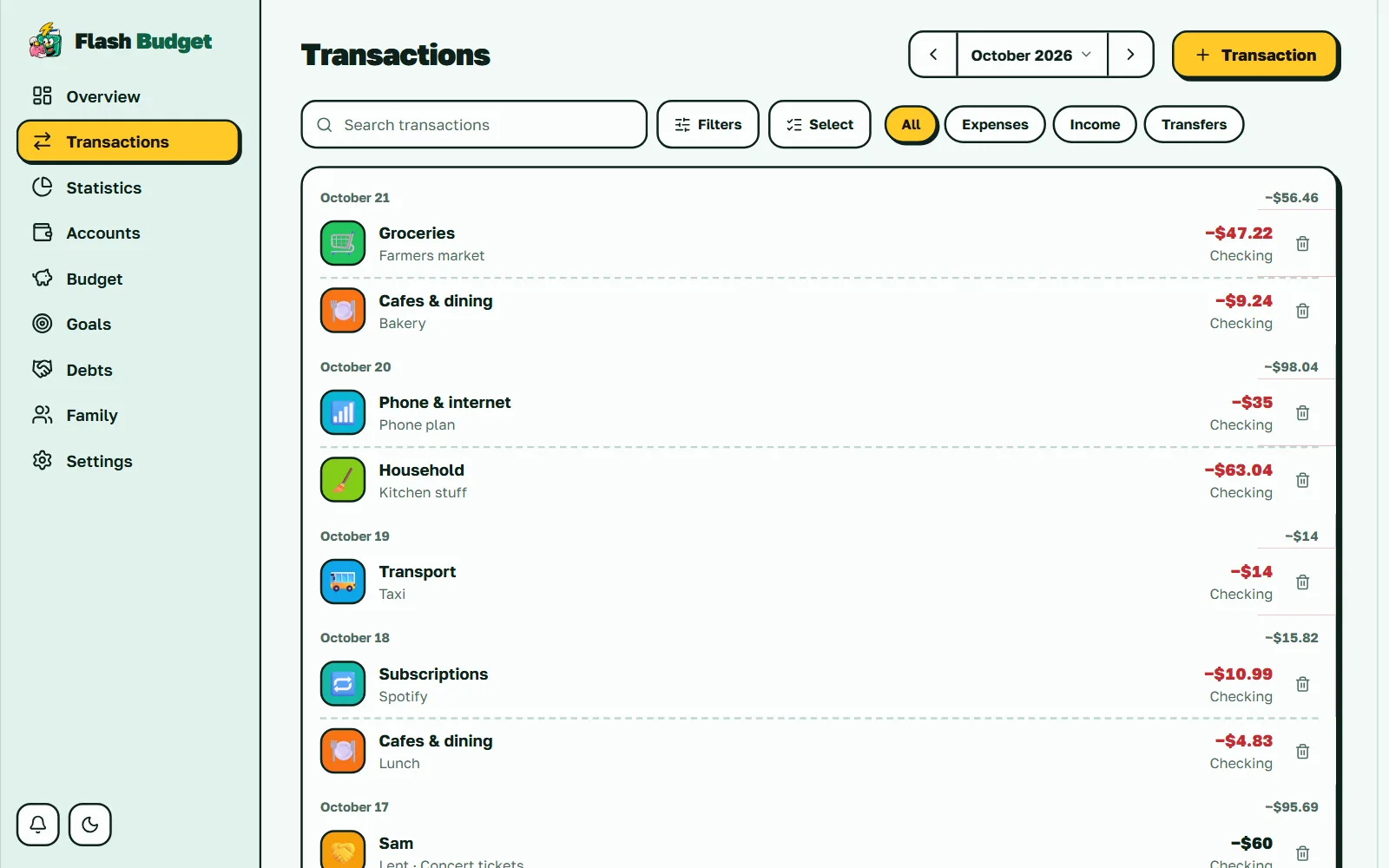
Flash Budget web app — transaction list
Flash Budget web app — budget
Synced across all devices
Installs to your home screen (PWA)
Light & dark themes
Interface in 10 languages
Privacy by default

A finance app that doesn't watch you

No ads. No analytics and no trackers inside the app — there your browser talks only to our own servers and database. Our public website counts visits only if you allow it.

No trackers in the app

Even fonts are served from our own domain. Exchange-rate APIs are called by our server, never by your browser. Website analytics loads only after you click Accept.

Isolated at the database level

Every table is protected by row-level access policies: other users cannot read your records. Family members and support see them only if you allow it.

PIN stays on your device

The 4-digit lock code is stored only on your device. Our servers never see it.

Delete means delete

Account deletion is immediate and irreversible — every record goes with it, and our encrypted backups rotate it out within weeks.

No marketing by default

Promotional emails are off unless you switch them on yourself. Service emails only.

Honest, not decorative

We removed a "refresh rates" button that only played a spinner. If something looks like it works, it works.
Pricing

Free where it counts. Paid where it costs.

Day-to-day money tracking is free forever. Cloud and power features cost us real money to run — that part is one small plan.

Free
$0 forever
6 accounts45 categories3 goals5 recurring paymentsMonthly budget · 3 category limitsStatistics · first chart16 preset colorsLight & dark themeCSV export155 currencies + crypto
Monthly
$2.99 / month
Everything included. Cancel anytime.
Choose
6 months
$14.99 / 6 mo
$17.94 if paid monthly
Save 16% · $2.50 / month
Choose
RECOMMENDED
Yearly
$27.99 / year
$35.88 if paid monthly
Save 22% · just $2.33 / month
Get yearly
PAY ONCE
Lifetime
$49.99 once
For as long as Flash Budget runs. Pays for itself in under 2 years.
Buy once
Every paid plan unlocks
∞ Unlimited accounts, categories, goals & recurring✓ All statistics charts & insights✓ Family budget✓ Debts✓ Transfers to people✓ CSV import✓ Receipt photos✓ OFW: cost of sending money home✓ Bybit sync✓ API for scripts & AI assistants✓ Custom colors & themes
One plan — everything included. Cancel anytime, keep your data forever.

Prices in US dollars. Subscriptions renew automatically at the same price at the end of each period until you cancel — cancel anytime in Settings → Plan, or in Google Play for purchases made in the app. Local sales tax or VAT may be added at checkout. Full refund within 14 days — Refund Policy

Frequently asked questions

Everything people usually ask before switching to Flash Budget.

Is Flash Budget free?

Yes — the free plan is a full money tracker: up to 6 accounts and 45 categories, custom emoji icons, budgets with rollover, the Pulse forecast, savings goals, multi-currency and crypto, subscription tracking and one-tap CSV export of everything. When you need more — extra accounts and categories, debts, transfers to people, advanced statistics, custom colors, Family sharing, receipt photos, the OFW mode or Bybit sync — one plan unlocks it, from $2.99/month or $49.99 once, for as long as Flash Budget runs.

Does Flash Budget work offline?

Yes — in the web app and on Android you can add, edit and delete expenses and transfers with no connection, and they sync without duplicates when you're back online. More on the offline expense tracker.

I work abroad and send money home. Can it show what transfers really cost?

Yes — the OFW mode (paid plan) compares each transfer home with the market rate on its date and shows how much the fee and exchange rate took. See the budget app for OFWs.

Does it connect to Bybit?

Yes — with a read-only API key, on the paid plan: card purchases, P2P trades and Earn income arrive as suggestions you confirm. See expense tracking for Bybit.

Can I really change any category icon and color?

Yes — any emoji as the icon and 16 preset colors for every category and account, free. A custom color picker (any hex you like) and extra themes come with the paid plan. Rename, reorder, archive — it's your budget, not ours.

Does it support multiple currencies and crypto?

Yes — 155 fiat currencies plus a dedicated Crypto account type with 8 decimal places of precision (0.05 BTC is 5,000,000 satoshi, not zero). Top-30 coins and USDT/USDC/DAI are priced automatically 4 times a day, and everything rolls up into one total in your base currency. Your own manual rates always win over market ones.

Do my old reports change when exchange rates move?

No. Every transaction is counted at the rate on its date, so a January report opened in June shows exactly what it showed in January. The effect of rate movements is shown separately as "revaluation" — clearly marked as neither income nor expense.

Do I need to connect my bank?

No. Flash Budget works without bank access — adding an expense takes two taps. No bank logins, no permissions, no surprises.

Is my financial data private?

Your records are visible only to you unless you choose to share them — isolated at the database level — with a PIN lock that's stored only on your device. There are no ads, the app has no analytics or trackers, and we never sell your data — see our Privacy Policy.

Are there iOS and Android apps?

The native Android app is in early access on Google Play and opens to everyone soon; iOS comes later. Meanwhile the web app is fully live and installs to your home screen as a PWA — with a mobile layout built for phones (bottom tab bar, swipe to delete, pull to refresh), not a shrunken desktop. It's one account everywhere: what you add on the web is already in the Android app, and the other way round.

How is Flash Budget different from other budget apps?

Most apps cripple the free version — a handful of categories, two accounts, icons you can't touch — and charge a subscription to unlock the basics. Flash Budget flips it: the free plan is a complete money tracker — simple enough for anyone, flexible enough for everything — and the paid plan is about scale and power features, not unlocking the essentials.

Can I set up recurring payments?

Yes — auto payments post rent, subscriptions or salary by themselves: weekly, monthly or every N days. Each one shows its next date and can be paused with a toggle.

How do transfers to friends work?

Send a record by @username — your friend picks the account to accept into, or declines and the record returns to you. Both of you keep a clean, matching history. Transfers between people are part of the paid plan; it's bookkeeping between you two, not a payment service.

Can I export or take my data elsewhere?

Your data is never locked in — every record is yours to see, edit and export to CSV for free, and you can delete your account with everything in it in one click. Importing history from a bank statement or another app is part of the paid plan.

Have a question we didn't answer?

Write to us at support@flashbudget.app — we read and answer every message.

Be in balance with your money

Set up your first account in under a minute. No card required.

Early access onGoogle Play